

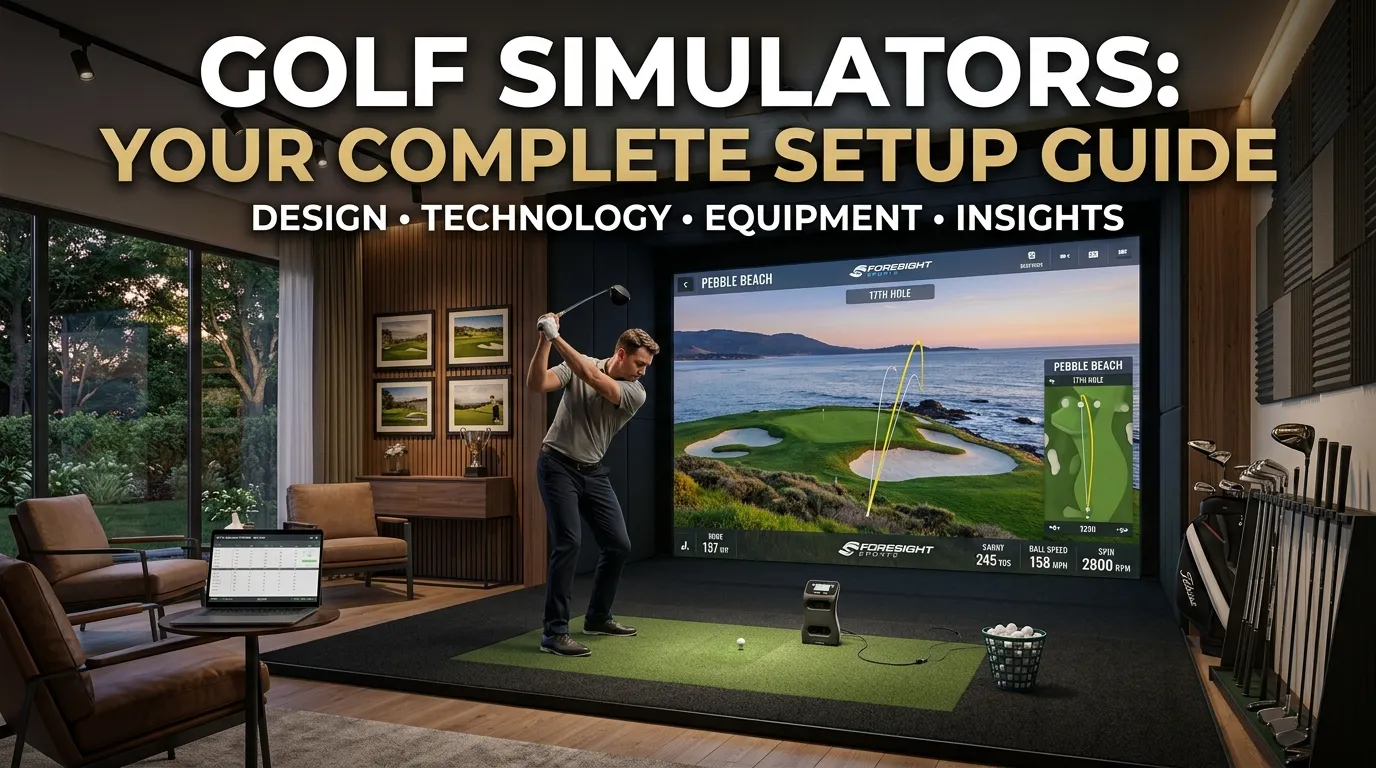
A golf simulators is an indoor setup that lets you practice and play golf using a launch monitor, impact screen, projector, hitting mat, and simulation software. Depending on your budget and goals, systems range from affordable beginner setups to high-end professional installations costing $50,000+. Choosing the right golf simulator depends on space, accuracy needs, and whether you want casual play or serious game improvement.
A golf simulators lets you play and practice golf indoors using a launch monitor, impact screen, and simulation software. Home setups start around $1,000 for entry-level systems and can exceed $50,000 for professional-grade installations. The right system depends on your budget, available space, and whether you’re focused on practice or entertainment.
Picture your garage transformed into a private golf retreat—complete with realistic course replays, shot-by-shot data, and zero tee times. Golf simulators have gone from niche luxury to mainstream must-have, and the technology has never been more accessible or impressive.
Whether you’re a weekend golfer looking to sharpen your swing through winter or a serious player analyzing launch angles and spin rates, there’s a simulator setup designed for your needs. This guide covers everything from choosing the right launch monitor to installing a commercial-grade system, so you can make a confident, well-informed decision.
What Does a Home Golf Simulator Setup Actually Include?
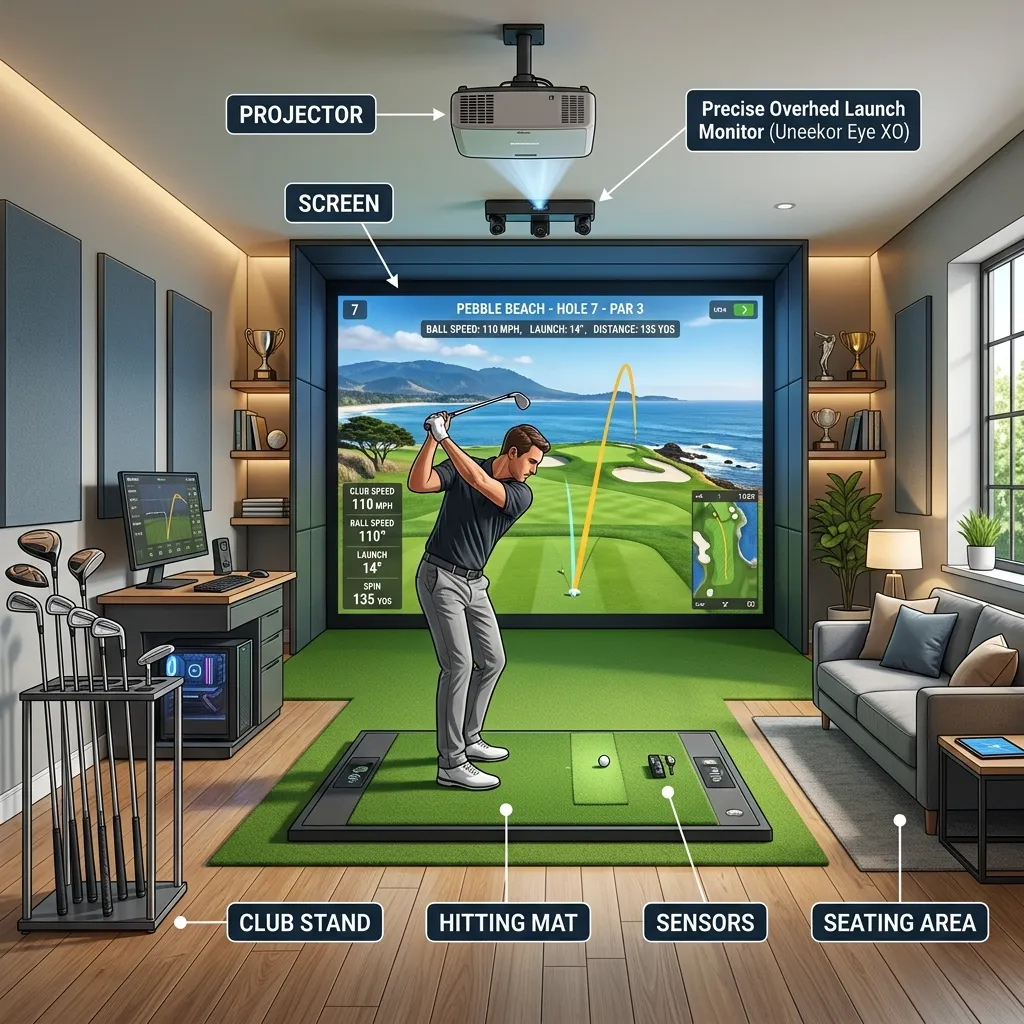
A complete home golf simulator setup typically consists of five core components:
- Launch monitor: The brain of the system. Captures ball and club data like clubhead speed, spin rate, launch angle, and ball speed.
- Impact screen: A durable projection screen that absorbs ball strikes and displays the simulated course.
- Projector: Displays the virtual course onto the impact screen with enough brightness and resolution for a realistic image.
- Hitting mat: Mimics fairway or tee conditions and protects your flooring.
- Simulation software: The virtual engine that renders courses, calculates shot outcomes, and tracks your stats.
The quality of each component directly affects how realistic and reliable your experience will be. Skimping on the launch monitor, for example, can result in inaccurate shot data—which defeats the purpose of practice.
How much space do you need for an indoor golf simulator system?
Most golf simulators setups require a minimum room size of 10 feet wide by 10 feet deep by 8.5 feet high. That said, a more comfortable setup—one that allows for a full swing with a driver and natural follow-through—calls for at least 12 feet wide by 16 feet deep by 9 feet high.
Before purchasing any equipment, measure your available space carefully. Ceiling height is the most common limiting factor, especially in finished basements.
How to Choose the Best Golf Simulator for Your Home
The market has expanded rapidly, and the best golf simulators for your home depends on three key variables: budget, performance goals, and available space. Here’s how to think through each tier.
Entry-level home golf simulators (under $5,000)
Entry-level systems are best suited for beginners or casual golfers who want to practice indoors without a major financial commitment. These packages typically pair an infrared or basic camera-based launch monitor with a starter mat, net, and access to software like E6 Connect or TGC 2019.
Popular options in this range include the Rapsodo MLM2PRO (around $700 for the launch monitor alone) and the Garmin Approach R10, which retails for approximately $600 and connects to a mobile app with access to over 42,000 courses. At this price point, expect decent accuracy for club speed and distance, but less precision on spin and launch angle metrics.
Mid-range simulator packages ($5,000–$20,000)
Mid-range systems offer a meaningful jump in accuracy and software depth. This is where most serious home golfers land. Systems from SkyTrak, Mevo+ by FlightScope, and Bushnell Launch Pro fall into this category.
The SkyTrak+ uses photometric technology to capture six data points per shot and integrates with WGT Golf, TGC 2019, and E6 Connect. It retails for around $2,995 for the hardware, with additional software subscriptions ranging from $99 to $299 per year.
Pair a mid-range launch monitor with a quality enclosure kit—which typically includes an impact screen, frame, and projector mount—and you’re looking at a total investment of $8,000 to $15,000 for a well-rounded setup.
Professional golf simulator packages ($20,000+)
At the premium end, systems from Foresight Sports, Full Swing Golf, and TrackMan deliver commercial-grade accuracy and immersion. The Foresight Sports GCQuad, used by PGA Tour players and club fitters worldwide, starts at around $15,000 for the launch monitor alone.
These systems use high-speed cameras to capture club and ball data with extraordinary precision—measuring parameters like face angle at impact, dynamic loft, and attack angle. Combined with a high-lumen projector, 4K impact screen, and premium simulation software like FSX 2020, a professional golf simulators package can run $30,000 to $70,000 fully installed.
Understanding Golf Simulator Launch Monitors
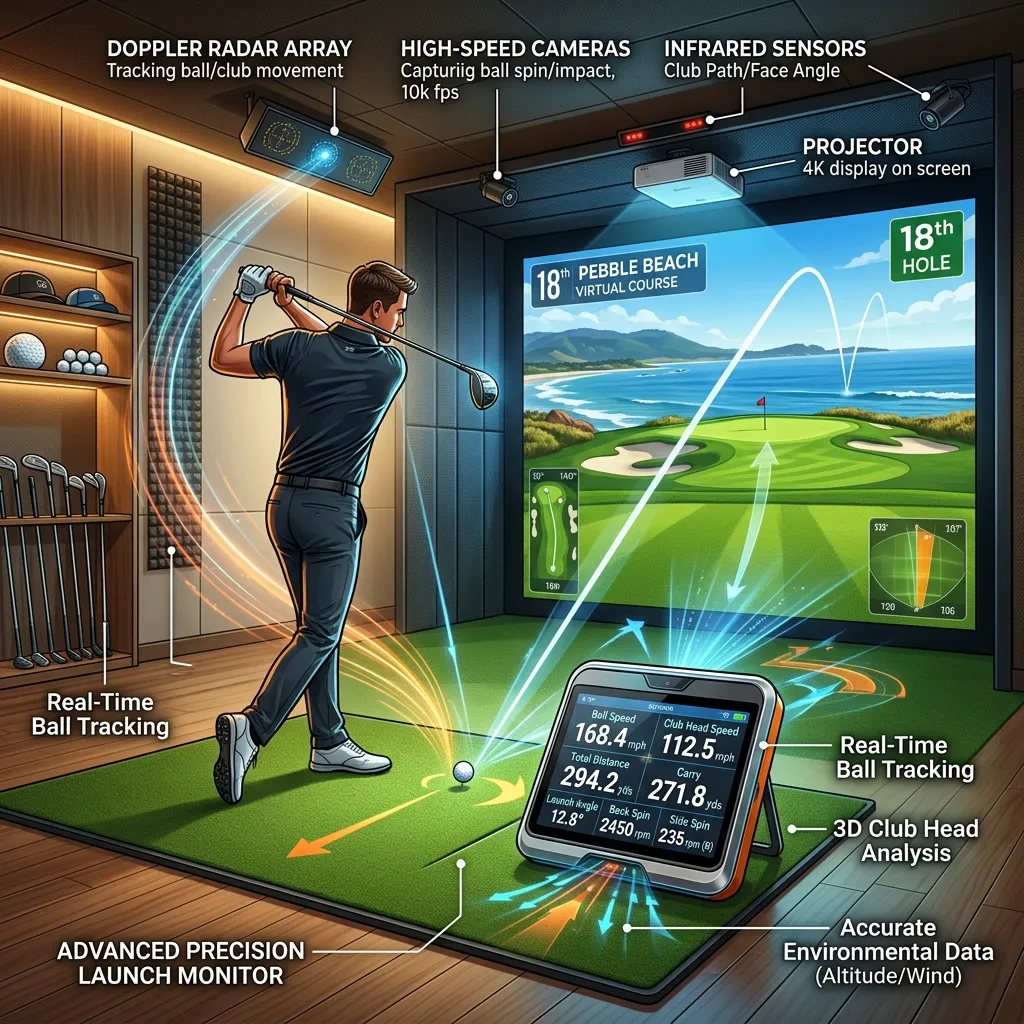
The launch monitor is the single most important component in any golf simulators setup. Two primary technologies dominate the market:
Doppler radar (used by TrackMan and FlightScope) tracks the ball from impact through flight using radio waves. These systems are highly accurate outdoors and in large indoor spaces but can struggle in shorter rooms where full ball flight isn’t captured.
Photometric (camera-based) systems (used by Foresight Sports and SkyTrak) capture the club and ball in the moments immediately after impact. These systems are generally better suited to indoor setups with limited depth.
When evaluating a golf simulator launch monitor, prioritize these data points:
- Ball speed – foundational for distance accuracy
- Launch angle – affects trajectory modeling
- Spin rate and axis – critical for shot shape accuracy
- Club path and face angle – essential for swing analysis
For pure practice value, spin data accuracy is the metric that separates average systems from great ones.
The Best Virtual Golf Simulator Software Platforms
Hardware is only half the equation. The best virtual golf simulator software creates an immersive, accurate course environment and gives you tools to track improvement over time.
TGC 2019 (The Golf Club) is one of the most popular options, featuring over 150,000 user-generated courses alongside professionally recreated layouts. It offers robust online multiplayer and integrates with most major launch monitors.
E6 Connect is widely considered the most visually polished platform, with lifelike graphics and official course licenses including Pebble Beach and Bandon Dunes. It’s available as a subscription and integrates with over 50 hardware devices.
FSX 2020 by Foresight Sports is the premium choice for serious players, offering deep analytics dashboards alongside realistic course play.
WGT Golf caters to the casual golfer with a free-to-play model and an accessible interface—ideal for beginners or family setups.
Building a Golf Simulator Practice System That Actually Improves Your Game
A simulator is only as useful as the practice habits you build around it. Here’s how to structure sessions for real improvement:
Use data to identify your biggest misses
Most launch monitors record session data over time. Review trends in your club path, attack angle, and face-to-path relationship. A consistent pull-fade pattern, for instance, points to a specific set of swing faults that targeted drills can address.
Simulate real course scenarios
Rather than hitting 50 balls to the same target, play virtual rounds on courses that challenge you. Pressure-test your decision-making on dog-legs, narrow fairways, and approach shots to elevated greens.
Combine simulator sessions with short game practice
One limitation of most home simulator setups is chipping and putting simulation. Supplement your indoor sessions with a quality putting mat and a chipping net to maintain a well-rounded game.
What Beginners Should Know Before Buying a Golf Simulator
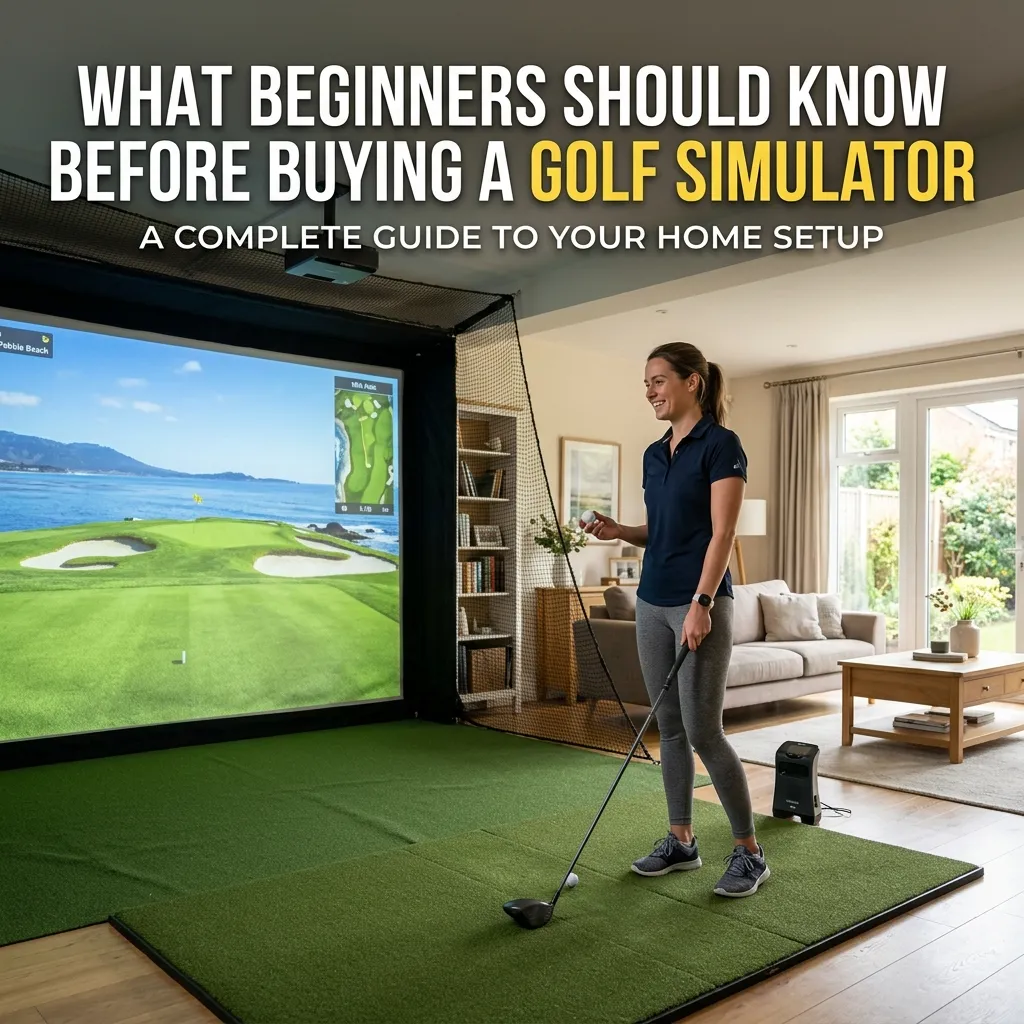
A golf simulator for beginners doesn’t need to be expensive or complicated. In fact, an overly technical system can be overwhelming if you’re still learning the fundamentals.
For new golfers, prioritize:
- Ease of setup: Avoid systems that require professional calibration or complex networking.
- Game improvement tools: Look for software that includes swing tips, tutorials, or a driving range mode with target feedback.
- Value: The Garmin Approach R10 and Rapsodo MLM2PRO both offer strong beginner value under $1,000 for the launch monitor.
A beginner doesn’t need TrackMan-level accuracy. Reliable distance and direction data is enough to build a feedback loop and develop a repeatable swing.
Commercial Golf Simulator Installation: What Businesses Should Consider
Golf simulators aren’t limited to home use. Commercial golf simulator installations are growing in popularity across driving ranges, hotel venues, sports bars, and private clubs.
For commercial environments, durability and throughput are the key considerations. Impact screens in commercial settings typically need to withstand hundreds of shots per day, which makes material quality critical. Brands like Carl’s Place and TrueStrike supply screens and enclosures rated for commercial use.
Commercial setups also demand network connectivity for multi-bay management, online leaderboards, and remote software updates. Systems from Full Swing Golf and AboutGolf are built specifically for these environments, with customer management tools and usage analytics baked in.
Typical commercial installation costs range from $25,000 to $80,000 per bay, depending on technology tier and build-out complexity.
How to Achieve a Realistic Golf Simulator Experience
The gap between a basic simulator and a truly realistic experience comes down to three factors: image quality, sound design, and surface feel.
Image quality depends on your projector’s brightness (measured in lumens) and resolution. For a convincing outdoor feel, aim for at least 4,000 lumens and 1080p resolution. A 4K laser projector will make a noticeable difference in grass texture and sky detail.
Sound design is often overlooked. A quality surround sound setup adds crowd noise, wind, and ball-flight audio that significantly enhances immersion.
Surface feel matters for both shot quality and comfort. Premium hitting mats like those from TrueStrike or Fiberbuilt replicate turf resistance and feedback more faithfully than budget foam alternatives, which can affect your swing mechanics over time.
Is a Golf Simulator Worth the Investment?
The honest answer depends on how often you’d use it. If you play golf year-round, currently spend money on range sessions or green fees during winter, or have a genuine interest in tracking and improving your game, the math often works in a simulator’s favor—especially for mid-range setups.
A single round at a premium course can cost $150 to $300. A $10,000 home setup pays for itself within a few seasons when you factor in travel, range fees, and course access. More importantly, the convenience of year-round, on-demand practice makes it easier to stay consistent.
Frequently Asked Questions About Golf Simulators
How accurate are home golf simulators compared to real-life ball flight?
Accuracy varies significantly by system. Premium photometric systems like the Foresight Sports GCQuad match real-world ball flight data within 1–2% for most metrics. Entry-level systems tend to be accurate for distance and direction but less reliable for spin-based shot shaping. For practice purposes, even mid-range systems provide actionable feedback.
What is the minimum ceiling height required for a golf simulator?
The general minimum is 8.5 feet, but 9 to 10 feet is recommended for a full, unrestricted swing. Ceiling height should be measured at the point of address—not just the room’s peak height.
Can I use a golf simulator outdoors?
Some launch monitors, particularly radar-based systems like TrackMan, are designed for outdoor use. However, most full simulator enclosures are built for indoor environments. Some manufacturers offer weatherproof enclosure kits for covered outdoor spaces like patios or garages.
Do I need a professional to install a golf simulator?
Entry-level and mid-range systems are typically DIY-friendly and come with setup guides. High-end or commercial installations often require professional calibration to ensure accurate launch monitor readings and proper projector alignment.
What’s the best golf simulator software for realistic course play?
E6 Connect is widely regarded as the most visually realistic platform with official course licenses. TGC 2019 offers the largest course library. For data-driven practice rather than course play, FSX 2020 is the strongest option.
How long does it take to set up a home golf simulator?
A basic setup—launch monitor, hitting mat, and net—can be assembled in a few hours. A full enclosure with projector, screen, and software calibration typically takes one to two days, or longer if structural modifications are needed.
What is a golf simulator?
A golf simulator is an indoor system that replicates real golf using sensors, launch monitors, screens, and software to track and display shots virtually.
How does a golf simulator work?
It uses a launch monitor to capture ball and club data, which is then processed by simulation software to display shot results on a virtual golf course.
What equipment is needed for a golf simulator?
You typically need a launch monitor, impact screen, projector, hitting mat, and golf simulation software.
How much does a golf simulator cost?
Costs range from around $1,000 for basic setups to over $50,000 for professional systems.
How much space do I need for a golf simulator?
Most setups require at least 10–12 feet wide, 16 feet deep, and 8.5–9 feet high for comfortable use.
Are golf simulators accurate?
Yes, mid-range and premium systems are highly accurate, especially for ball speed, launch angle, and spin data.
Can beginners use a golf simulator?
Yes, beginner-friendly systems like Garmin R10 or Rapsodo MLM2PRO are easy to use and affordable.
What is the best golf simulator software?
Popular options include E6 Connect, TGC 2019, FSX 2020, and WGT Golf, depending on realism and budget.
Can I install a golf simulator at home?
Yes, most home golf simulators are designed for garages, basements, or spare rooms and can be DIY-installed.
Is a golf simulator worth it?
Yes, for frequent golfers, it offers year-round practice, game improvement, and long-term savings compared to regular course fees.
